Resumeo: Your Free Resume

Resumeo is a simple resume builder. Just use our step-by-step template to generate a downloadable resume.

  1. Simply click the fields to complete with your data.
  2. Scroll until you complete the different sections
  3. Download your PDF or Word resume. No payment required, no sign up needed, no tricks.

Start your resume now

Why build a resume online with our tool?

The best format

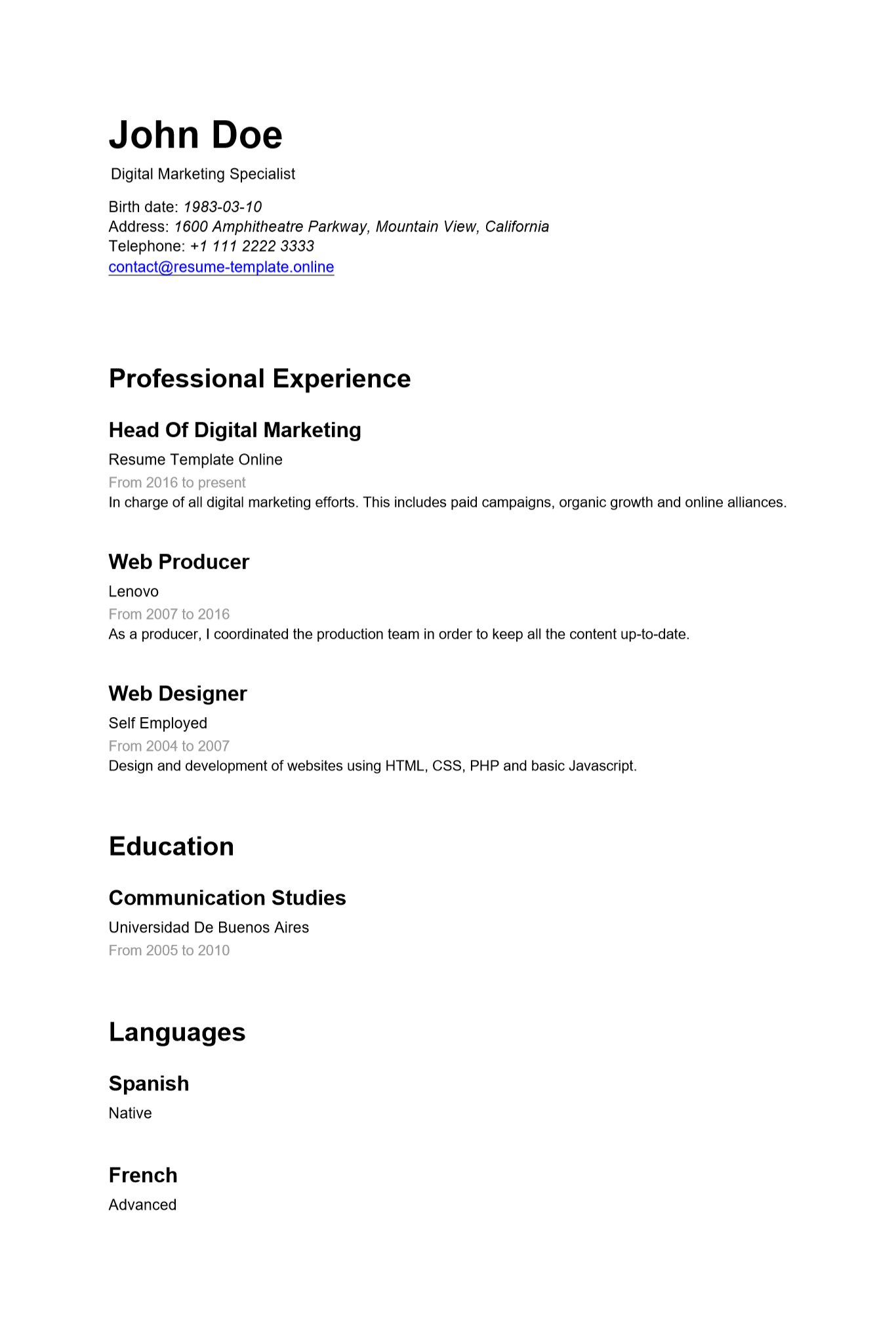
Dont worry about the format. It's neat, it's professional. It's done and tweaked for you. Take a look at a real sample.

In the cloud

Save it online. Come back as many times as you need to modify and download updated versions of your resume.

No expensive software

No need to buy software or convert your resume. Our tool will generate a PDF or Word file for free.

Pro tips to fill your resume

We do not provide just a blank template. We guide you through the process with advice on how to fill every section.
Start now

How it works

  1. Click in the fields below to edit and add your information.As simple as it gets, fields are presented with a sample text that is meant to be edited.
  2. If you are unsure, read the tips. They will be replaced once you fill the blanks.The sample text contains tips and ideas to fill the resume.
  3. Add as many items as needed in each section.Sections like experience or education allow to add blocks of content.
  4. Use the download buttons to get your copy.You will find the buttons at the bottom of the form.
  5. Optionally, You may sign in to save your resume.There is a top bar to sign in with Google, it will create a free account.

Professional Experience

x
Add another position

Education

x
Add another education item

Languages

x
Add another language

Your resume is ready for download

Click the following buttons to download your CV in PDF or Word format.

Download your CV (PDF)Download your CV (Word)

Word (.doc) files are editable. PDFs are non editable by default.

If your resume did not download properly, please use this link for PDF version or this for Word (.docx file).